

Appearance
Activity Feed
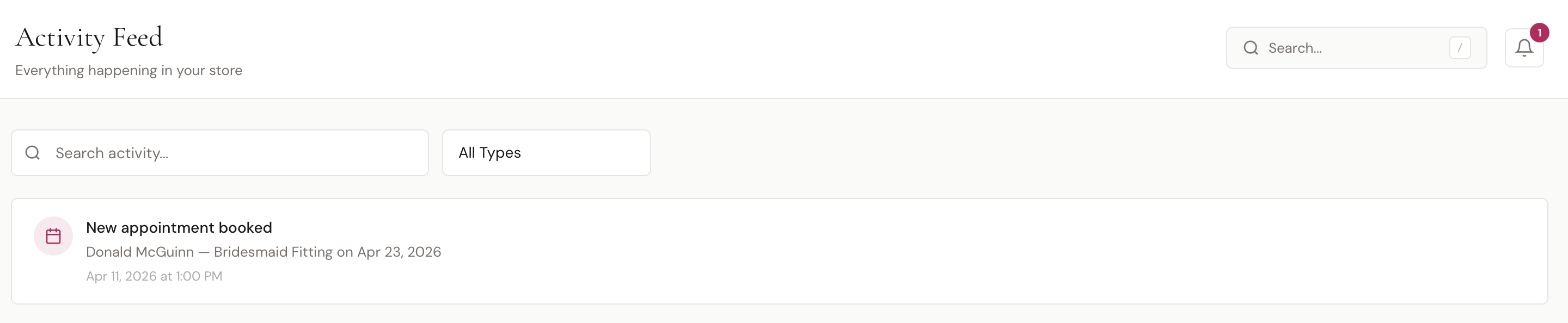
The Activity Feed is a chronological log of everything happening in your store — new appointments, sales, payments, contracts signed, customers added, staff clocking in, and more. Use it to get a quick pulse on store activity, audit recent actions, or find a specific event.
Find it in the sidebar under Insights > Activity Feed.
Activity Types
The feed tracks the following events as they happen:
| Activity | When It's Logged |
|---|---|
| New Appointment Booked | A customer or staff member books an appointment |
| Appointment Cancelled | An appointment is cancelled |
| New Customer | A customer is added to the directory |
| Payment Received | A payment is recorded on an order, invoice, or layaway |
| Order Completed | A POS order is completed |
| Invoice Paid | An invoice is fully paid |
| Contract Signed | A customer signs a contract |
| Staff Clock | A staff member clocks in or out |
Each entry includes an icon, a title, an optional description, and a timestamp showing both the exact date/time and a relative time (e.g., "5m ago").
Filtering
Two filter controls at the top of the page let you narrow the feed:
| Filter | What It Does |
|---|---|
| Search | Search by activity title or description |
| Type | Filter to show only one activity type (or All Types) |
Clicking an Entry
Most activity entries are clickable and take you directly to the related resource. For example:
- Click a New Appointment Booked entry to open the appointment
- Click a Payment Received entry to open the order or invoice
- Click a New Customer entry to open the customer's profile
Activity Feed vs. Notifications
The Activity Feed and the Notifications bell in the top-right of every page both pull from the same underlying log. The differences:
- The Activity Feed shows the full history of everything happening in your store, filterable by type
- The Notifications bell shows only notifications relevant to you (the logged-in user) plus store-wide broadcasts
Use the Activity Feed when you want to see everything; use the Notifications bell for personal alerts and recent items.