

Appearance
SMS Credits
BridalOp uses a credit-based system for sending text messages. 1 credit = 1 SMS message (up to 160 characters). Go to Settings > SMS Credits to manage your balance and purchase more.
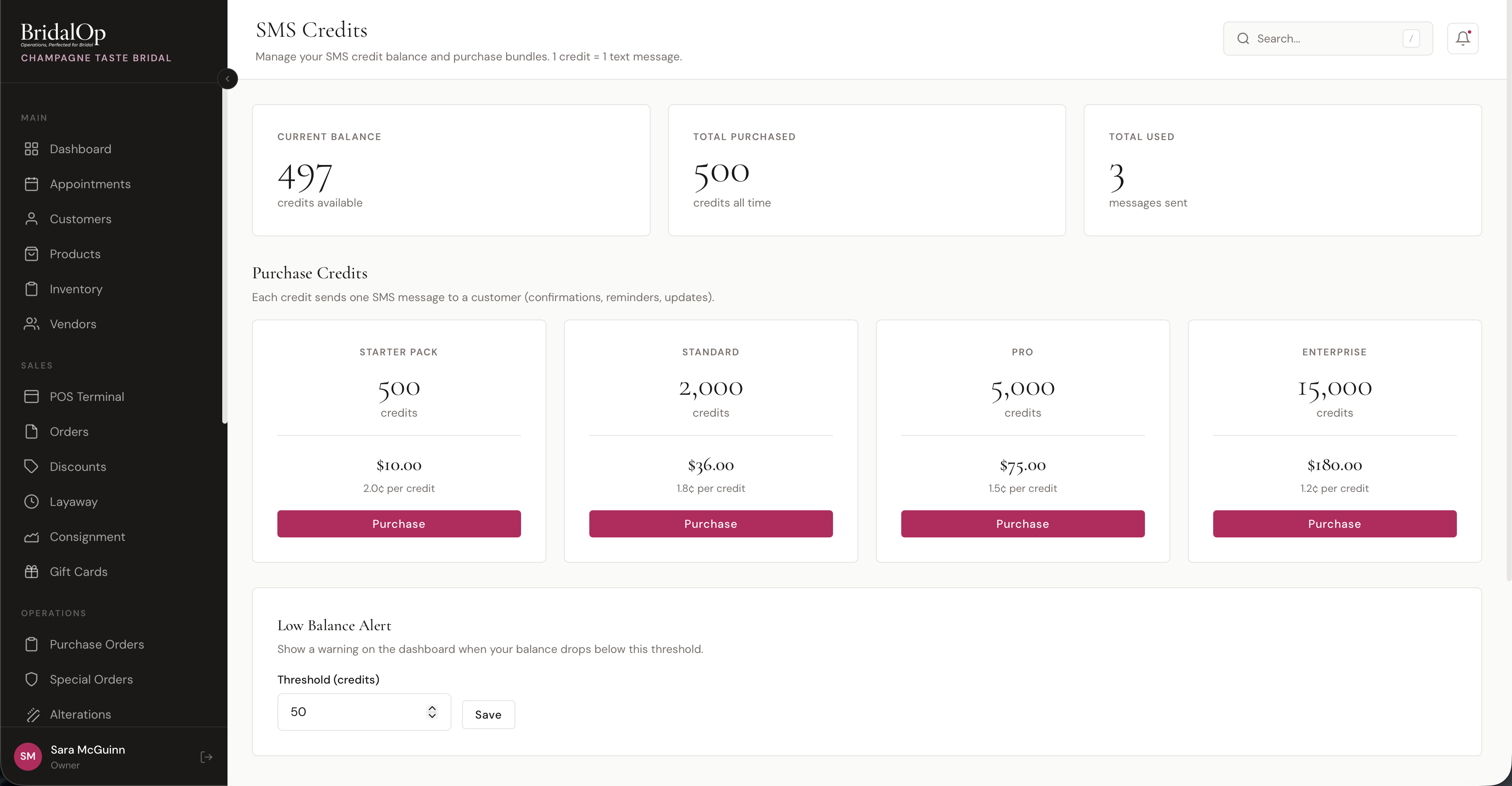
Balance Dashboard
Three cards at the top show your credit status at a glance:
- Current Balance — credits available to use right now
- Total Purchased — all-time credits purchased
- Total Used — all-time messages sent
Purchase Credits
Credit bundles are available in four sizes. Larger bundles offer a lower per-credit cost.
| Bundle | Credits | Price | Per Credit |
|---|---|---|---|
| Starter Pack | 500 | $10.00 | 2.0¢ |
| Standard | 2,000 | $36.00 | 1.8¢ |
| Pro | 5,000 | $75.00 | 1.5¢ |
| Enterprise | 15,000 | $180.00 | 1.2¢ |
Click Purchase on any bundle to add credits to your account instantly.
How Credits Are Used
Each text message BridalOp sends costs 1 credit, however long it is. A long message is split into more than one text by the phone carrier — the automation preview shows you where — but your balance is charged once per message sent, not once per part.
Credits are consumed by two types of SMS:
Automatic Notifications
These are sent automatically based on your notification settings in Settings > General > Notifications. Each enabled SMS notification uses 1 credit per message sent.
| Notification | When It's Sent | Credits Per Appointment |
|---|---|---|
| Booking confirmation | When a customer books | 1 |
| Appointment reminders | 24hr and 48hr before | 2 (one at each interval) |
| New booking alert to staff | When a customer books online | 1 |
| Layaway payment reminder | When a payment is coming due | 1 |
| Alterations ready | When alteration marked as ready | 1 |
Bulk SMS
You can also send targeted text messages to groups of customers from the Bulk SMS page. Each recipient costs 1 credit.
Credit Usage Examples
Here's how far your credits will go based on which SMS notifications you have enabled:
Example 1: Confirmations + Reminders
With booking confirmation and reminders (24hr & 48hr) enabled:
- Each appointment uses 3 credits (1 confirmation + 2 reminders)
- 500 credits covers about 166 appointments
- 2,000 credits covers about 650+ appointments
- 5,000 credits covers about 1,600+ appointments
Example 2: Confirmations Only
With only booking confirmation enabled:
- Each appointment uses 1 credit
- 500 credits covers 500 appointments
Example 3: Full SMS Notifications
With all SMS notifications enabled (confirmations, reminders, staff alerts, layaway reminders, alteration ready):
- Each appointment uses 4 credits (confirmation + 2 reminders + staff alert)
- Plus 1 credit per layaway reminder and 1 per alteration notification
- 500 credits covers about 125 appointments (plus any layaway and alteration notifications)
Example 4: Bulk SMS Campaign
Sending a promotional message to 200 customers:
- 160 characters or less = 200 credits
- 161–320 characters = 400 credits
Low Balance Alert
Set a threshold to get warned when your credits are running low. When your balance drops below this number, a warning banner appears on your Dashboard reminding you to purchase more.
The default threshold is 50 credits. Change it by entering a new number and clicking Save.
Transaction History
Below the purchase section, two tabs show your credit activity:
Transaction History
A log of every credit movement — purchases, usage, refunds, and adjustments. Each entry shows:
- Type — Purchase, Usage, Refund, or Adjustment
- Credits — amount added or deducted
- Balance After — your balance after this transaction
- Description — what triggered it
- Date — when it happened
SMS Send Log
A detailed log of every text message sent, showing:
- To — recipient phone number (masked for privacy)
- Status — Queued, Sent, Delivered, Failed, or Undelivered
- Credits Charged — how many credits this message used
- Error Message — if the message failed, why
- Sent Date — when it was sent